PPTP VPN on MAC OS X Sierra, High Sierra and Mojave

Update: For Mac OS X Catalina
For PPTP VPN on Mac OS X Catalina continue here.
Introduction
PPTP VPN is no longer supported on macOS Sierra and High Sierra and that is just fine, because there are some security issues. What is not fine that in corporate environment the inertia is so big, that this can take years to stop using PPTP VPN.
So you have basically 4 options:
- change your job
- use some of third-party software for example shimovpn (€49)
- use my custom made PPTP VPN for mac
- DIY
DIY Solution
Here is video tutorial reproducing following steps.
I'm going to cover the third one here and its quite simple. Open terminal and create file with name of your vpn server in /etc/ppp/peers/
sudo touch /etc/ppp/peers/vpn.yourserver.com
If you get error, because the peers folder doesn't exist, create it with mkdir /etc/ppp/peers command). Then edit this newly created file
sudo nano /etc/ppp/peers/vpn.yourserver.com
Copy paste and fill your details
plugin PPTP.ppp noauth remoteaddress "------vpn.yourserver.com------"user "------USERNAME------"password "------PASSWORD------"redialcount 1 redialtimer 5 idle 1800 # mru 1368# mtu 1368receive-all novj 0:0 ipcp-accept-local ipcp-accept-remote refuse-eap refuse-pap refuse-chap-md5 hide-password mppe-stateless mppe-128 # require-mppe-128looplocal nodetach ms-dns 8.8.8.8usepeerdns # ipparam gwvpndefaultroute debug
And finally run pppd deamon
sudo pppd call vpn.yourserver.com
If you get PPTP error when reading socket : EOF just try run the command again, or comment out the the line with ms-dns 8.8.8.8
Alternatively you can create this file anywhere and run it as
sudo pppd file ~/Desktop/path-to-your-file/vpn.txt
Automator
You can automate it with Automator. Just drag and drop "Run AppleScript" from left pane. And insert following line: do shell script "pppd call VPN.YOURSERVER.COM" with administrator privileges Now save it to Application folder and you can run it as regular app. It will ask you for administrator privileges every time because it runs pppd command. When you run it you can see little gear in you status bar indicating VPN runs and get error prompt any time VPM fails.
Download VPN.app
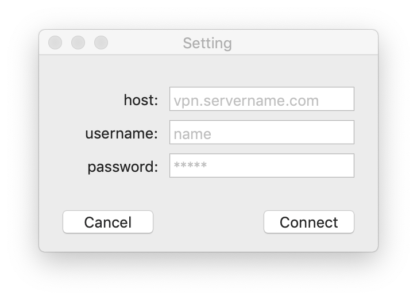
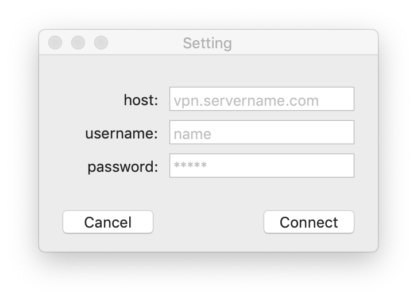
If you want to have nice shiny app that let you connect to VPN and that you can control from menu bar, instead of writing commands again and again in terminal, you can download this one for price of 1 coffee.
After you download, you have to right-click and open to run it.
DOWNLOAD